Study calendar & schedule
You can find information about how to navigate the calendar in Sisu here. The calendar shows, for example, your personal schedule as well as the schedules of upcoming courses.
You can access your schedule with the courses you have registered for in Sisu by clicking Study calendar in the grey bar at the top of the page.
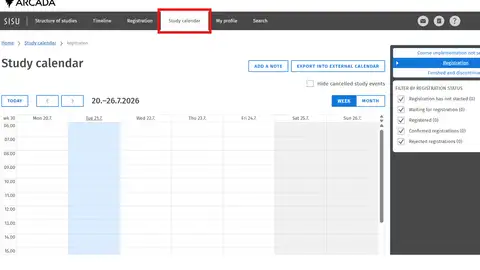
Using the arrows at the top left side of the calendar view you can go backwards and forwards in your calendar.
In the dark grey window seen on the right-hand side of the picture above you can filter courses according to registration status:
- Registration has not started
- Waiting for registration
- Registered
- Confirmed registrations
- Rejected registrations
Once you find a course in the grey window, click on the small arrow to the left of every course individually to see more information about the teaching.

We can assist you with:
- Your study plan in Sisu
- Instructions for using Sisu
- Technical issues
Please note that the processing time might be long, but all support requests will be answered.